
At the event entrance
What to bring
Section titled “What to bring”- Your ticket’s QR code: in the PDF from the email, in My tickets on eventwave.hr or in Google/Apple Wallet. They’re all the same ticket; you don’t need to print anything (but you can). The QR in the app needs an internet connection, so if the signal at the venue is weak, open the PDF or Wallet.
- An ID document, if the organizer requires it (personalized tickets, age limit).
- A charged phone 🙂 or a printed ticket just in case.
At the door
Section titled “At the door”- Open the QR code before it’s your turn and turn up your screen brightness (Wallet does this by itself).
- Staff scan the code with the app; it takes less than a second.
- A green result = entry. If you have several tickets in one PDF, flip to the next page for the next person, because each person has their own code.
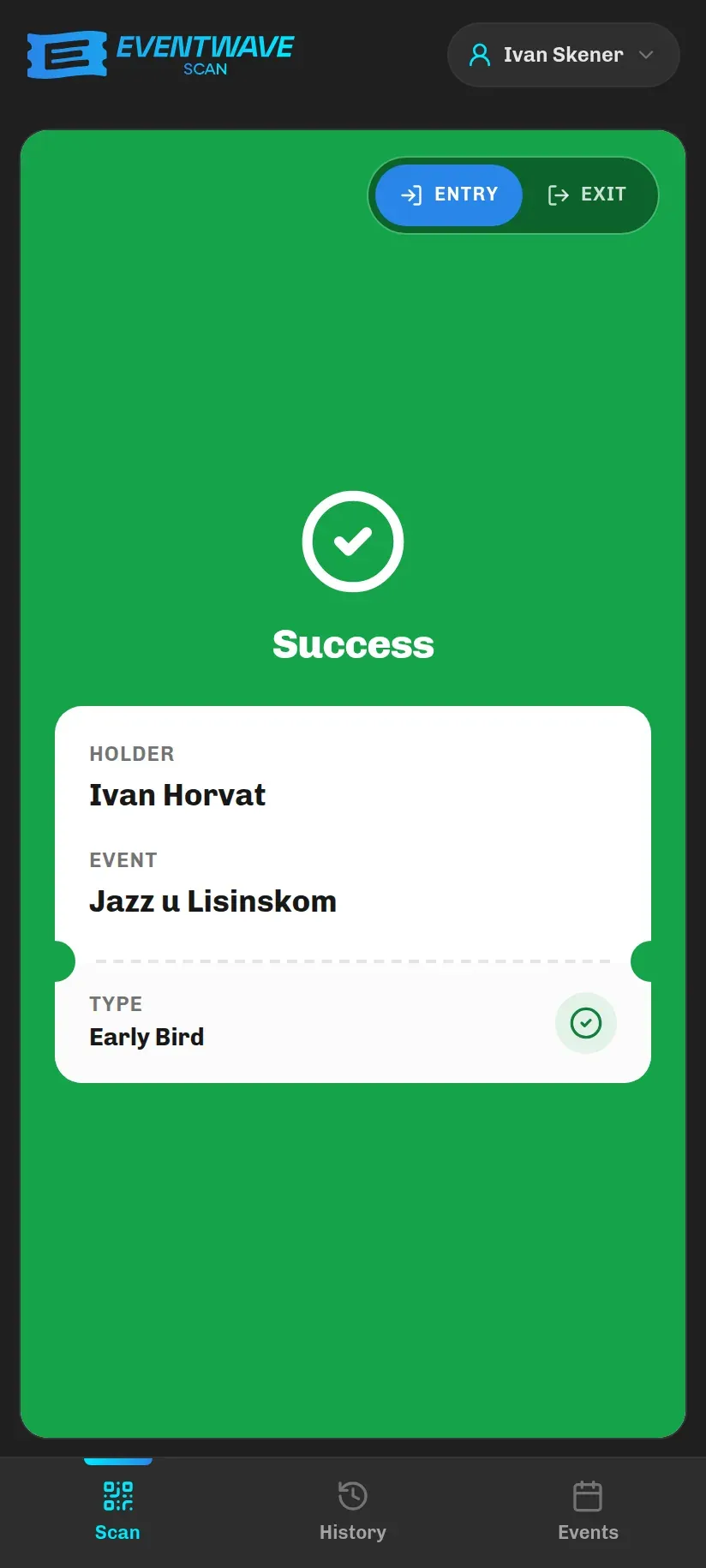
The ticket is valid from the start to the end of the event as the organizer entered them. If you arrive much earlier, the scanner shows “Event Not Started” and the time it becomes valid from.
Re-entry
Section titled “Re-entry”Most events are single-entry: once you enter, the same code no longer works. The organizer can enable re-entry (e.g. festivals), and staff then scan you on the way out in Exit mode and again on your return in Entry mode. If you’re not sure whether the event allows leaving and coming back, ask the staff or the organizer before you go out; if leaving is allowed, make sure you get scanned on the way out, otherwise your return will be rejected as “Already Inside”.
If the scanner rejects your ticket
Section titled “If the scanner rejects your ticket”| Staff see | Most common cause | What you can do |
|---|---|---|
| Ticket Already Used | Someone already entered with that code; often another person from the same order showed the same PDF page, or the code was shared/posted. | Check that you’re showing your own page; staff can see the details of the first scan on screen (below). |
| Ticket Not Found | The order was never paid (tickets are only created after payment) or the code isn’t from Eventwave. | Show the “Your tickets for…” email; if you don’t have it, check My tickets. |
| Event Not Started / Event Ended | You arrived outside the event’s time window. | Wait for the start; for anything unclear, contact the organizer. |
| Unauthorized Scanner | The ticket is for a different event than the one that scanner handles (scanners are assigned per event). | Check the event name on your ticket; talk to the staff. |
| No Re-entry | An exit/return attempt at an event that doesn’t allow re-entry. | Re-entry only applies if the organizer enabled it. |
| Already Inside / Not Inside | At events with re-entry: you tried to enter without having scanned an exit (or the other way round). | Ask the staff to scan the appropriate direction. |
What staff see on “Ticket Already Used”
Section titled “What staff see on “Ticket Already Used””When a code is rejected as already used, the scanner shows the staff who the ticket is issued to and the details of the first scan: who scanned it (the scanner’s name, with a “This device” or “Other device” tag), how long ago, and how many times the code has been rejected since. If the organizer marked the ticket manually, it says “Marked as used by the organizer”.
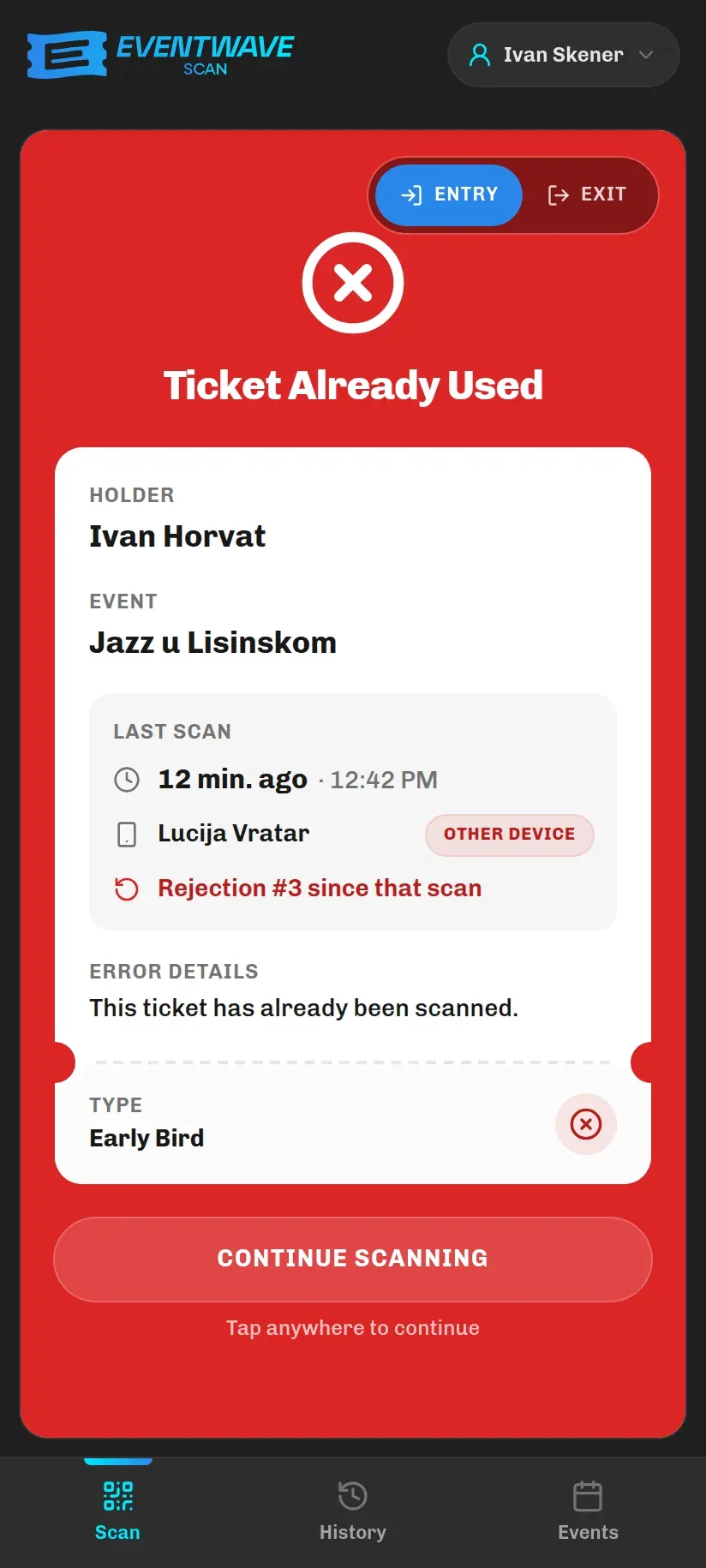
This means every disputed entry can be checked on the spot: ask the staff to open the scan details. Door staff work by the organizer’s instructions; Eventwave support can help by checking order and scan data (see Contact).