
Frequently asked questions and problems
I paid, but there’s no email with my tickets
Section titled “I paid, but there’s no email with my tickets”Wait a few minutes and check spam. Then open My tickets; if the order is there, you can download the tickets right away (and the receipt). If it’s not there, the payment wasn’t completed; see Payment.
Can I buy without registering?
Section titled “Can I buy without registering?”No, completing a purchase requires a (free) account; you can register directly at checkout with Google, Facebook or email, and your ticket selection is kept.
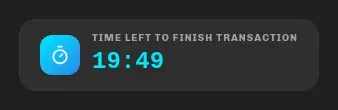
Why did the countdown disappear / why does it say the reservation expired?
Section titled “Why did the countdown disappear / why does it say the reservation expired?”At checkout you have 20 minutes (“Time left to finish transaction”); after submitting the order, another 15 minutes to pay. Refreshing doesn’t extend the deadline. After it expires, simply start over; if tickets are still available, you haven’t lost anything.
What do the statuses on the order page mean?
Section titled “What do the statuses on the order page mean?”There are five: Awaiting Payment (you have a Pay Now button), Payment Successful, Payment Failed, Order Canceled and Order Expired. Details in How to buy tickets and Payment.
Can I change the name on a ticket?
Section titled “Can I change the name on a ticket?”On regular tickets the name is the buyer’s name and doesn’t change; the ticket is valid for whoever shows it. On personalized tickets a change is only possible with the organizer’s approval: contact them (their contact is on the event page) or [email protected].
Where is my receipt (R1)?
Section titled “Where is my receipt (R1)?”The receipt is the second PDF in the email and always available via the Download invoice button in My tickets. R1 (business) invoice details (company name, OIB) must be entered at checkout before paying; changing a receipt afterwards requires contacting support. Note: €0 orders (100% promo code) have no fiscalized receipt because there is no charge.
Why does the price say “(No VAT)”?
Section titled “Why does the price say “(No VAT)”?”The organizer of that event is not in the VAT system. The amount you pay is the one shown as Total.
What is the service charge?
Section titled “What is the service charge?”The Eventwave fee for payment processing, ticket issuing, fiscalization and support. Depending on the event it’s charged once per order, per ticket or as a percentage, and it’s visible in the summary before you pay.
The PDF download takes long or tells me to wait
Section titled “The PDF download takes long or tells me to wait”The PDF is generated on demand: usually a few seconds, at busy times up to a minute or two. If you download several documents in quick succession, you’ll get the message “Please wait a moment before requesting another download.”; wait briefly and try again.
My QR code is hidden in the app
Section titled “My QR code is hidden in the app”That’s intentional: click Click to reveal. The code hides itself when you switch tabs. Displaying it needs an internet connection (the code is fetched from the server each time); without a connection, use the PDF or Wallet.
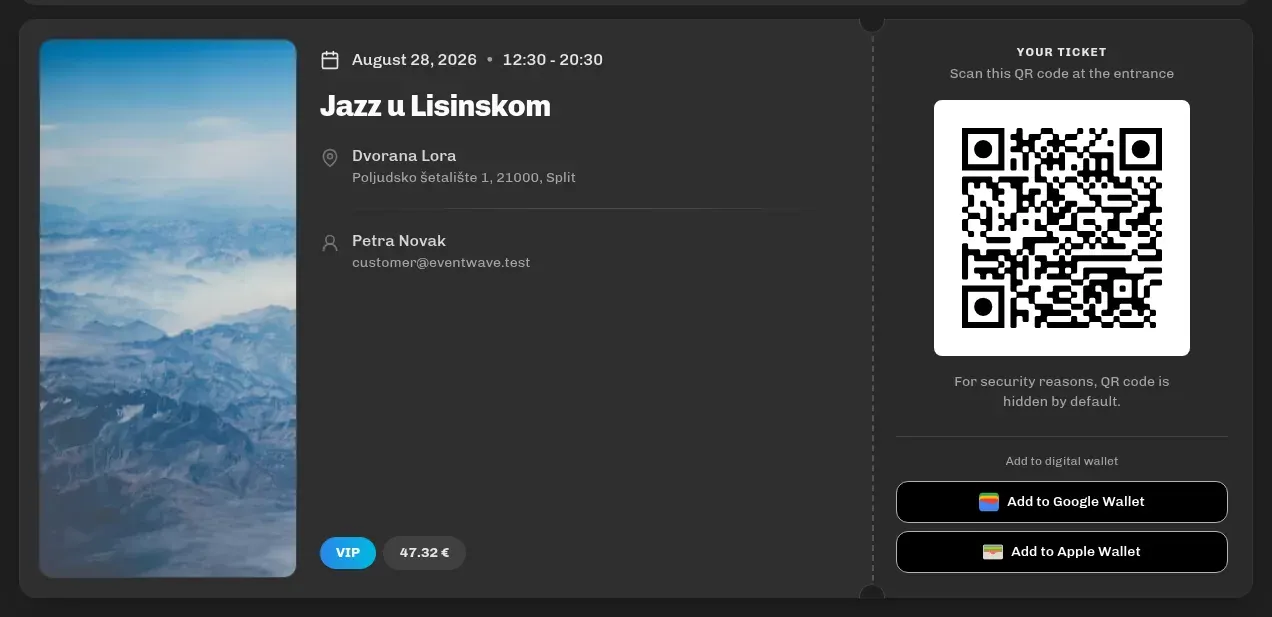
Can I enter with a screenshot of the QR code?
Section titled “Can I enter with a screenshot of the QR code?”Yes, the QR code is what gets scanned. But each code passes only once: if you forward a screenshot and someone enters before you, your entry will be rejected, and the staff at the scanner can see who scanned that code first and when.
I’ve entered, but the ticket in Apple Wallet still looks valid
Section titled “I’ve entered, but the ticket in Apple Wallet still looks valid”That’s normal: a Wallet pass is a snapshot of the ticket from the moment it was added and doesn’t refresh after scanning. The ticket’s real state is checked by the scanner at the entrance, not by Wallet.
The event was cancelled: how do I get my money back?
Section titled “The event was cancelled: how do I get my money back?”See Refunds and cancellations. Send the request to [email protected] with your order number.
I got a refund: why is the order gone from the app?
Section titled “I got a refund: why is the order gone from the app?”My tickets holds only paid orders, so a refunded order disappears from the list. The confirmation of the refund is the amount returned to your card; no “refunded” status is shown in the interface.
I see “Almost sold out”: how many are left?
Section titled “I see “Almost sold out”: how many are left?”We don’t show the exact number; the label means the stock is below the threshold the organizer set. If tickets run out during your purchase, checkout tells you how many are still available.
Why can’t I buy more than X tickets?
Section titled “Why can’t I buy more than X tickets?”The organizer limited the quantity per order for that category, or that’s all that’s left. Some categories also have a minimum quantity.
I’m buying for friends: how do they get their tickets?
Section titled “I’m buying for friends: how do they get their tickets?”All the tickets come to you in one PDF (each on its own page). Forward each person their page, or open it on your phone at the entrance. With personalized tickets you enter their names and emails at checkout, but the PDF still goes to you.
Login doesn’t work / I forgot my password
Section titled “Login doesn’t work / I forgot my password”See Account and login. If you registered with Google or Facebook, use that button, because you don’t have a password. After 5 failed attempts login is temporarily locked: wait and then try again.
Who do I contact?
Section titled “Who do I contact?”For orders, tickets, refunds and receipts: [email protected]. For questions about the event itself (program, age limit, parking…): the organizer’s contact on the event page. Everything else: Contact and support.