
Organizer FAQ
Buyers say they “can’t see tickets” on the event page
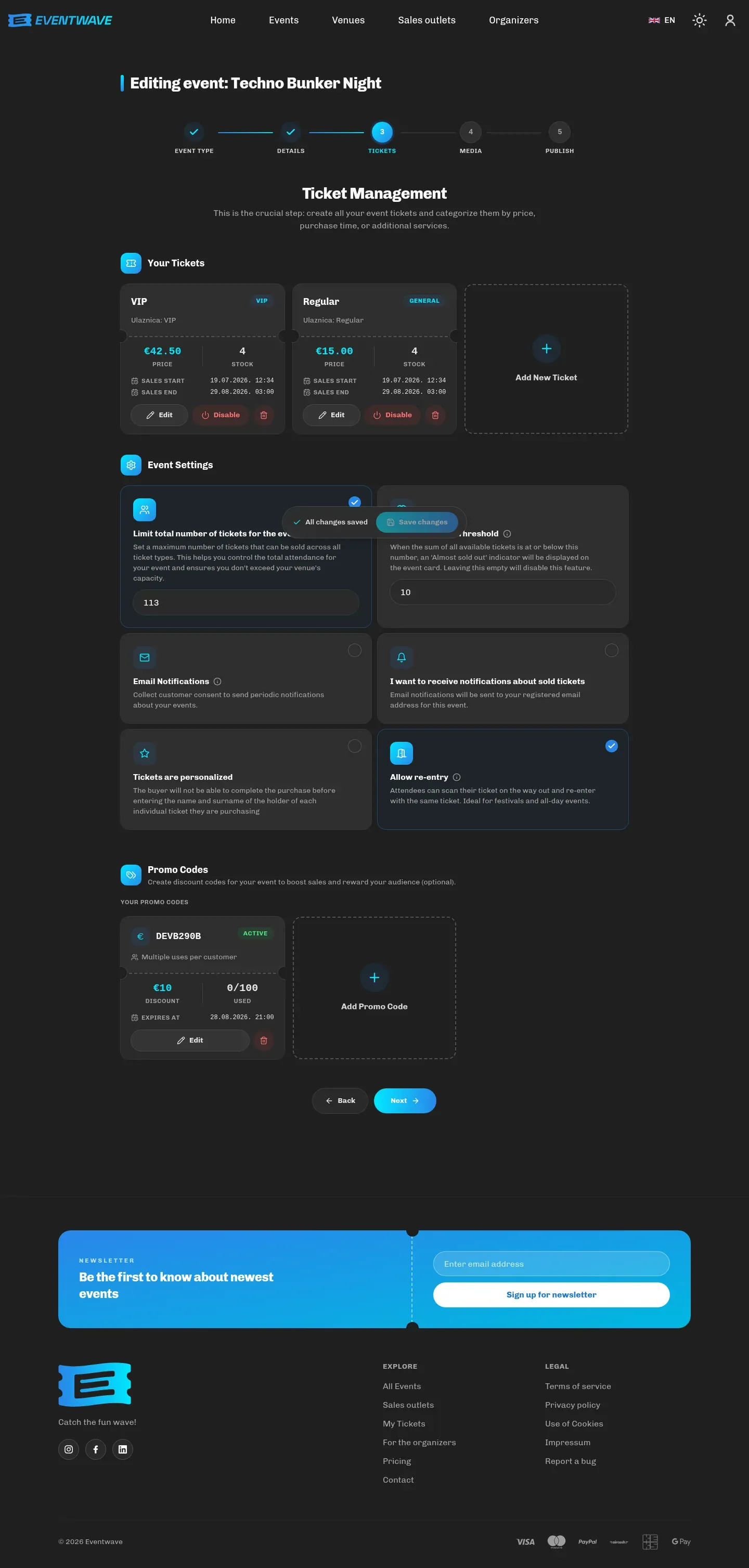
Section titled “Buyers say they “can’t see tickets” on the event page”Check in step 3: (1) each category’s sales period (outside “Tickets available from/until” the category is not shown); (2) whether the category is enabled; (3) whether the event is published (a draft is visible only to you). If no category is on sale, the whole purchase block disappears.
I can’t delete a ticket category
Section titled “I can’t delete a ticket category”A category with sold tickets cannot be deleted. Disable it (the toggle on its card); it stays invisible to buyers, and the sold tickets remain valid.
How do I add a scanner who has no Eventwave account?
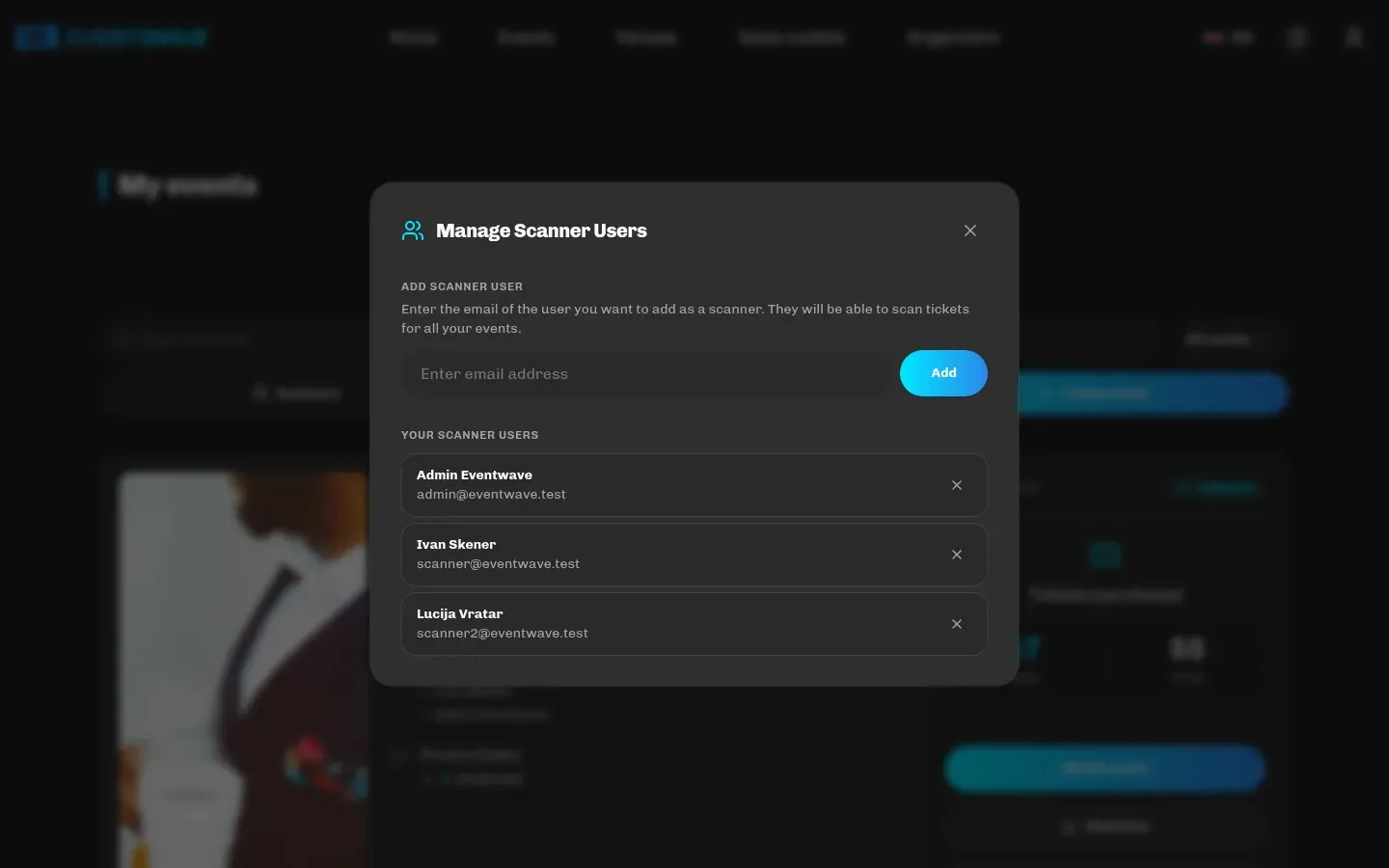
Section titled “How do I add a scanner who has no Eventwave account?”You can’t add an email without an account. Ask the person to register at eventwave.hr (free, takes a minute), then add them. See Scanners and door staff.
Can I scan myself?
Section titled “Can I scan myself?”Yes: add yourself with the Add me as scanner button and log in at scanner.eventwave.hr with the same account.
Do I have to add scanners to every new event?
Section titled “Do I have to add scanners to every new event?”Mostly not: a new commercial event automatically inherits the scanners from your existing events, and you can edit the list in step 5. Your regular crew is easiest to manage via My events → Scanners (applies to all your events).
The scanner reports “Event Not Started” while guests are arriving
Section titled “The scanner reports “Event Not Started” while guests are arriving”Tickets are valid from the event’s start time. Move the event’s start earlier (e.g. to when the doors open) in step 2. The change carries over to all tickets immediately.
How do I change the event’s date?
Section titled “How do I change the event’s date?”My events → Modify event → step 2, then save. Tickets automatically become valid for the new date; notify the buyers (they’re entitled to a refund if the new date doesn’t suit them).
Why did a promo code take off more than I expected?
Section titled “Why did a promo code take off more than I expected?”A percentage discount is calculated from the order total (tickets + the service fee + any insurance), not just from the ticket prices. A 10% code on a €10 ticket with a €1 fee takes off €1.10. The discount comes out of your revenue; see Promo codes.
How do I get a list of buyers?
Section titled “How do I get a list of buyers?”The interface currently has no order list or export. Request one from [email protected]. The email addresses of buyers who consented to your notifications are collected if you enable Email Notifications in the event settings.
Can I refund a buyer?
Section titled “Can I refund a buyer?”Refunds are carried out by Eventwave support under the Terms of Sale and per your instruction. Contact [email protected] with the order number.
I’m not receiving sales emails
Section titled “I’m not receiving sales emails”Sales notifications are off by default: enable them in step 3 (Every Ticket, Daily or Weekly). Daily and weekly summaries currently arrive in English. See Statistics.
Why does the amount in the email report differ from the statistics?
Section titled “Why does the amount in the email report differ from the statistics?”The report sums the total charged (including the Eventwave fee and insurance); “Your Revenue” in the statistics excludes those and is reduced by your promo discounts. See Statistics.
Why does the service fee on the buyer’s invoice have no VAT while the ticket does?
Section titled “Why does the service fee on the buyer’s invoice have no VAT while the ticket does?”That’s a platform setting, not an error: the service fee is currently shown with 0% VAT even for organizers in the VAT system. The fee is Eventwave’s revenue and doesn’t enter your books. See VAT, invoices and fiscalization.
How long does the review before publishing take?
Section titled “How long does the review before publishing take?”Up to three business days, usually faster. Request publishing sends the request immediately, with no extra confirmation; you can see the status in My events.
Can I have more than 3 events?
Section titled “Can I have more than 3 events?”Regular accounts have 3 active events; request organizer verification (My events → Become an organizer) for an unlimited number. Cancelled events don’t count.
Do I need my own fiscal certificate?
Section titled “Do I need my own fiscal certificate?”Currently no: invoices are fiscalized through the Eventwave system on your behalf. If that changes, we will contact you. See VAT, invoices and fiscalization.
How do I set an age limit or special entry rules?
Section titled “How do I set an age limit or special entry rules?”There is no dedicated field: put them in the event’s Frequently asked questions (step 4) and/or the description, and instruct your staff to check IDs. For name-bound tickets, enable Tickets are personalized.
Can I offer tickets in multiple languages?
Section titled “Can I offer tickets in multiple languages?”The buyer interface is bilingual (HR/EN), but you enter the event’s and categories’ name and description once, so write them in your audience’s language (or bilingually in the description).