
Promo codes
Promo codes give a discount on orders for one event. They are created in step 3 of the wizard (the Promo Codes section, Add Promo Code button), are available to all accounts for their own events, and can be added and changed after publishing. They save immediately, independently of other event changes.
Fields
Section titled “Fields”| Field | Rules |
|---|---|
| Promo Code | Uppercase letters and digits (e.g. SUMMER25), up to 50 characters, unique within the event. Buyers can enter it in any letter case. |
| Discount Type | Percentage (from 1 to 99%), Fixed Amount in € or Free (100%: the order becomes free and is not charged). |
| Discount | The percentage value or the amount in €; with the Free type the field is not shown. |
| Maximum Uses | Optional; empty = unlimited. Paid orders count (including refunded ones); orders in progress temporarily “hold” a use. |
| Expires At | Optional; the date must be in the future. After that moment the code reports Expired. |
| One use per customer | On by default: each buyer (account) can use the code once. |
| Active | Turn it off to temporarily suspend the code without deleting it. |
A code that has already been used cannot be deleted, only deactivated.
How the discount is applied
Section titled “How the discount is applied”- A percentage discount is calculated from the order total, i.e. from the sum of tickets, the service fee and any insurance, not just the ticket prices. Example: a 10% code on an order with a €10 ticket and a €1 fee takes off €1.10 (not €1.00). Keep that in mind when choosing the percentage.
- A fixed discount is also taken off the order total; with a Free code the whole order is €0 and is not charged.
- The discount applies to the whole order (all ticket categories of that event); there is no per-category restriction.
- The discount is distributed across the line items in proportion to their amount and reduces the VAT base. Economically, the discount comes out of your share of the revenue: the Eventwave fee stays whole as long as the order total covers it; see How “Your revenue” is calculated.
- One code per order; codes cannot be combined.
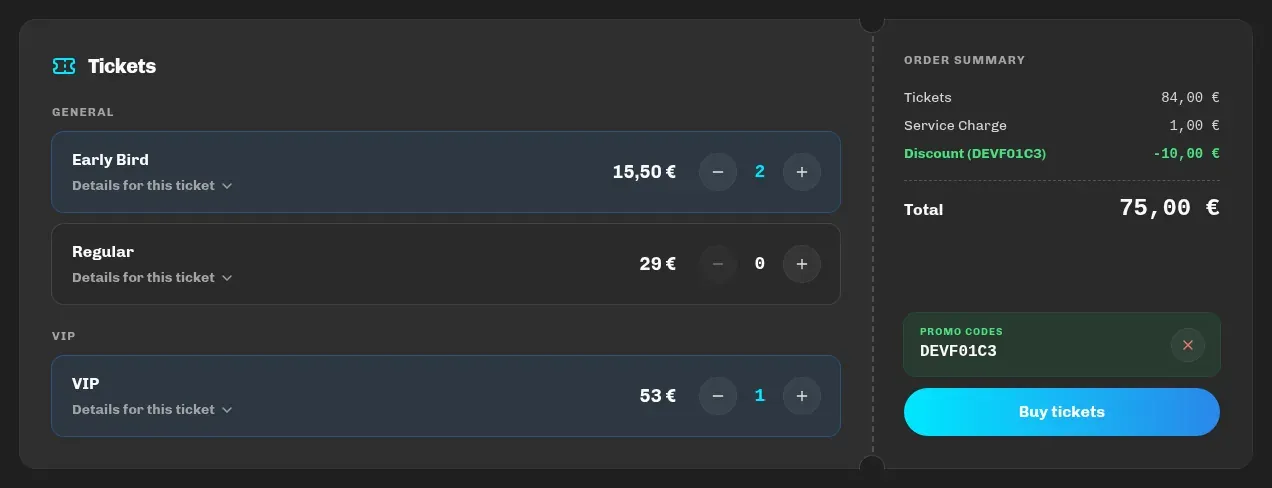
The buyer sees the applied code as a green discount line in the order summary:
Sharing
Section titled “Sharing”Besides the code itself, you can send buyers a link that applies it automatically:
https://eventwave.hr/events/event-name-12345?promocode=SUMMER25(copy the event address from the event page). The buyer sees a Promo code applied message as soon as the page opens.
Tracking
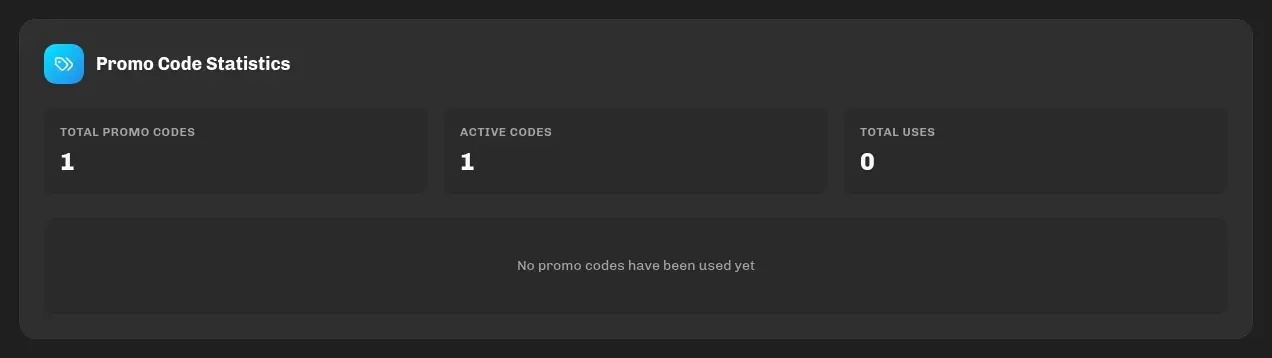
Section titled “Tracking”On the event’s statistics page, the Promo Code Statistics section shows the total number of codes, the active ones, the total number of uses and each code’s usage with a status (Active, Expired, Max Uses Reached, Inactive). The event card in My events shows the number of codes.
Common uses
Section titled “Common uses”- Partners and media: a separate code per partner with a usage limit → you see exactly how many people each one brought in.
- Early buyers: a code with an expiry date instead of a separate Early Bird category.
- Guests and sponsors: a Free code with a limited number of uses and “One use per customer” enabled: everyone picks up their own ticket with a QR code, and you don’t hand out PDFs manually.