
Become an organizer
On Eventwave anyone can create an event, with no subscription and no setup costs. Events start out as drafts; publishing is the only “gate” and goes through a short review by the Eventwave team.
Your first event in 10 minutes
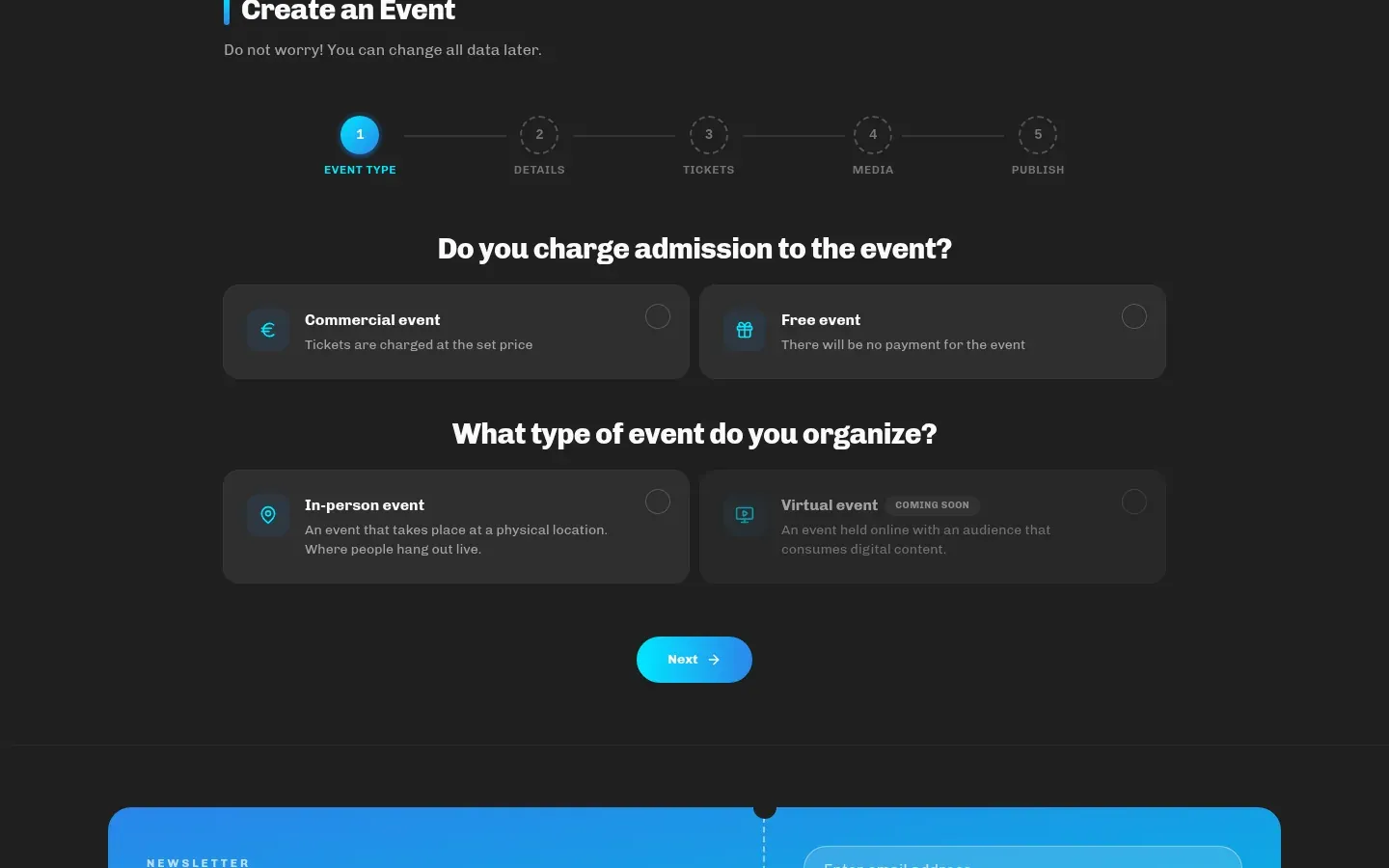
Section titled “Your first event in 10 minutes”- Open eventwave.hr/organizers. You can fill in the event creation wizard without logging in. Everything you enter is kept in your browser for 7 days.
- Go through the 5 steps (see Creating an event): Event Type → Details → Tickets → Media → Publish.
- On the last step, log in or open a free account (Google, Facebook or email). Your event is saved under your account; the images you selected are uploaded at that point.
- Click Create event. You’ll see an outcome screen: the event was saved as a draft (new accounts), sent for review or published (trusted organizers).
- For a draft, click Request publishing: the request is sent immediately, with no extra confirmation, and the event is published once approved.
Account types
Section titled “Account types”| Regular account | Verified organizer | Trusted organizer | |
|---|---|---|---|
| Creating events | up to 3 active events | unlimited | unlimited |
| Publishing | request publishing for each event | new events automatically go for review | published immediately |
| Scanners (door staff) | none | ✓ | ✓ |
| Promo codes | ✓ | ✓ | ✓ |
| Company details and VAT status in profile | none | ✓ | ✓ |
Promo codes can be added by any account on its own events (step 3 of the wizard). Scanners, however, can only be set up after verification, and without scanners nobody can check tickets at the door. On top of that, correct invoices for buyers need the company details from your profile, so verification is effectively the first step for anyone charging admission. The “trusted organizer” status (publishing without review) is granted by the Eventwave team to organizers it already works with.
Organizer verification
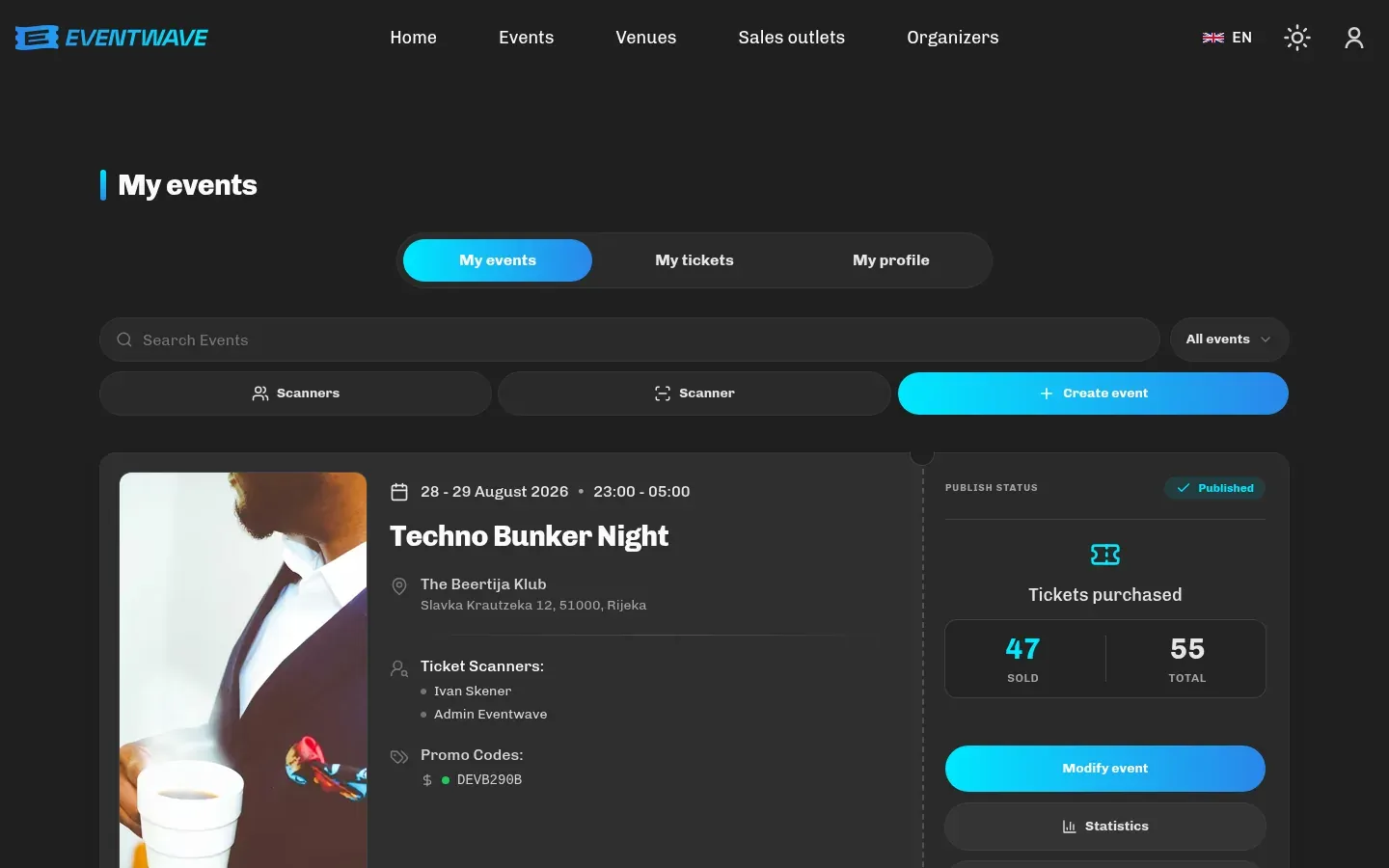
Section titled “Organizer verification”- Log in and open My events (or eventwave.hr/organizers/verify). If you’re not verified yet, you’ll see a Become an organizer card explaining the benefits.
- Click Send request. The request is sent once per account. After sending, the button is replaced by a Your verification is in review notice and it cannot be sent again.
- The team reviews the request and gets back to you by email (it may ask for additional details). Once approved, an Organizer details card appears in My profile.
To speed things up, include the name of your company/trade/association, your OIB and which events you’re planning in the request or your reply.
Organizer details (profile)
Section titled “Organizer details (profile)”After verification, fill in My profile → Organizer details:
- Company name (the legal entity selling the tickets),
- OIB (exactly 11 digits),
- Address, postal code, city, country,
- “Company is in the VAT system”: decisive for how VAT is calculated on your tickets; see VAT, invoices and fiscalization.
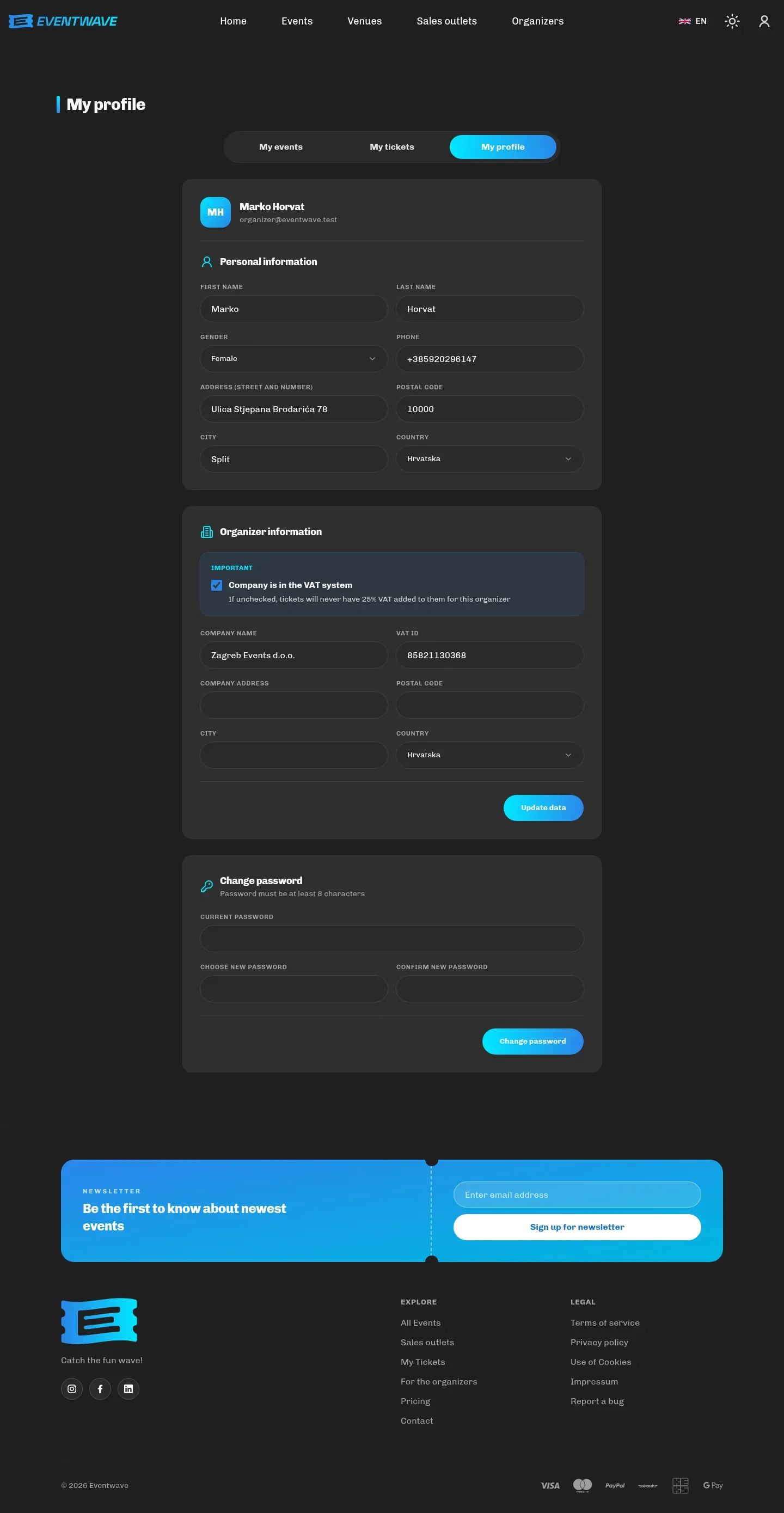
All fields are required for commercial events, because without them buyer invoices cannot be issued correctly. If details are missing, the interface will remind you before publishing.
What happens before publishing
Section titled “What happens before publishing”- Every event goes through a manual review by the Eventwave team (usually the same or the next business day, at most three business days). Eventwave may decline to publish.
- Until the event is published, its page is visible only to you (preview from My events); everyone else gets “page not found”.
- A private event (option on step 5) does not appear in search or on the homepage even after publishing, and is only accessible to people with a direct link.
- A new location you entered becomes public together with the event’s publication.
The event’s status is shown in My events: Draft → In review → Published (or Cancelled / Finished). We currently don’t send an automatic approval email, so check the status in My events or wait for a message from the team.
What it costs
Section titled “What it costs”Eventwave has no subscriptions or fixed costs. The service fee is paid by the buyer at purchase, added on top of your ticket price, and you keep the full ticket price. Details, the current fee and an earnings calculator: eventwave.hr/pricing. For larger or special events, a custom fee can be arranged. Contact [email protected].
Payout of your sales revenue is made under the terms agreed with the Eventwave team; see VAT, invoices and fiscalization.