
Promo codes
Organizers can share promo codes for discounts on their events. A code is valid for one event (not all of Eventwave) and is entered before payment.
How to apply a code
Section titled “How to apply a code”- On the event page or at checkout, find the Enter promo code field in the order summary (the right-hand “stub” of the ticket).
- Type the code and click Apply (at checkout the input is automatically converted to uppercase).
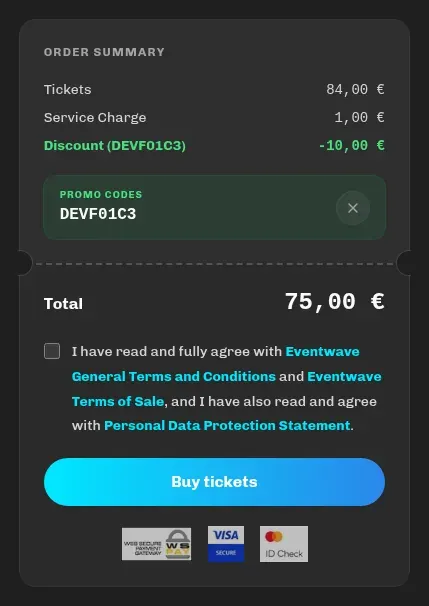
- A green Discount row and the new total appear in the summary, with the message “Promo code applied successfully”. The code stays applied until you complete the purchase or remove it (×).
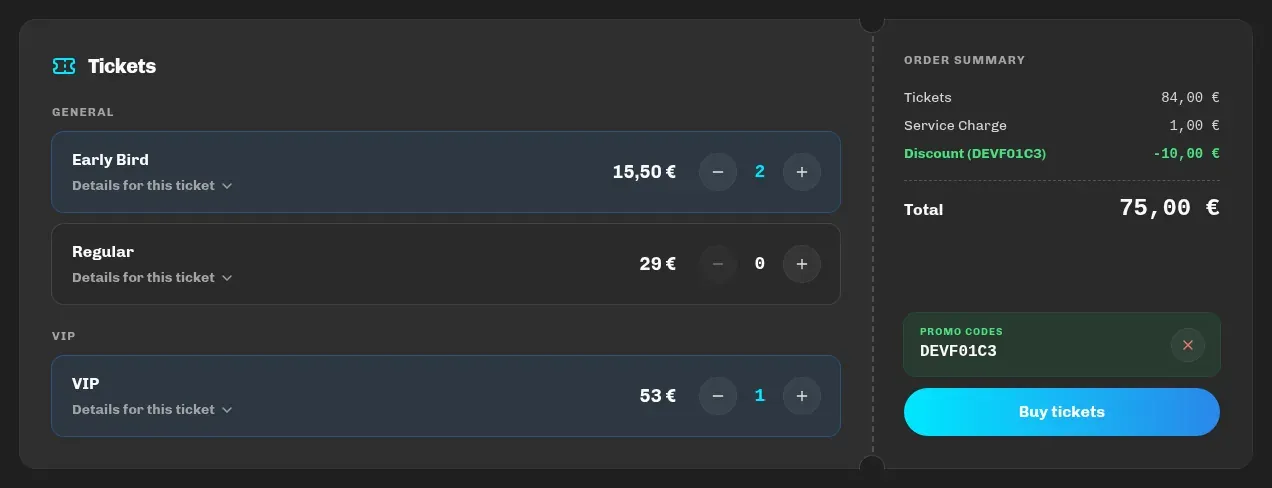
If you received a link of the form eventwave.hr/events/event-name?promocode=CODE, the code is applied by itself as soon as you open the page, and you’ll see the notification “Promo code CODE applied!” (or an invalid-code message if it no longer works).
Discount types
Section titled “Discount types”| Type | Effect |
|---|---|
| Percentage | e.g. 20% off the order amount |
| Fixed amount | e.g. €5 off (at most up to the order amount) |
| Free | 100% discount: a €0 order skips payment, the tickets arrive immediately |
The discount applies to the whole order and is spread across the lines; the service charge and insurance remain visible in full, and the difference is booked through the Discount row.
Messages and limits
Section titled “Messages and limits”| Message | Meaning |
|---|---|
| Invalid promo code for this event. | The code doesn’t exist for this event, so check for typos and that the code is for this exact event. (The notification title may also read “Invalid or expired promo code”.) |
| This promo code is no longer active. | The organizer switched it off. |
| This promo code has expired. | Its validity period has passed. |
| This promo code has reached its maximum number of uses. | The code had a limited number of uses and has been used up. |
| You have already used this promo code. | Most codes are valid once per customer (an order that was later refunded counts too). |
One code per order. Codes cannot be combined.