
VAT, invoices and fiscalization
VAT system status
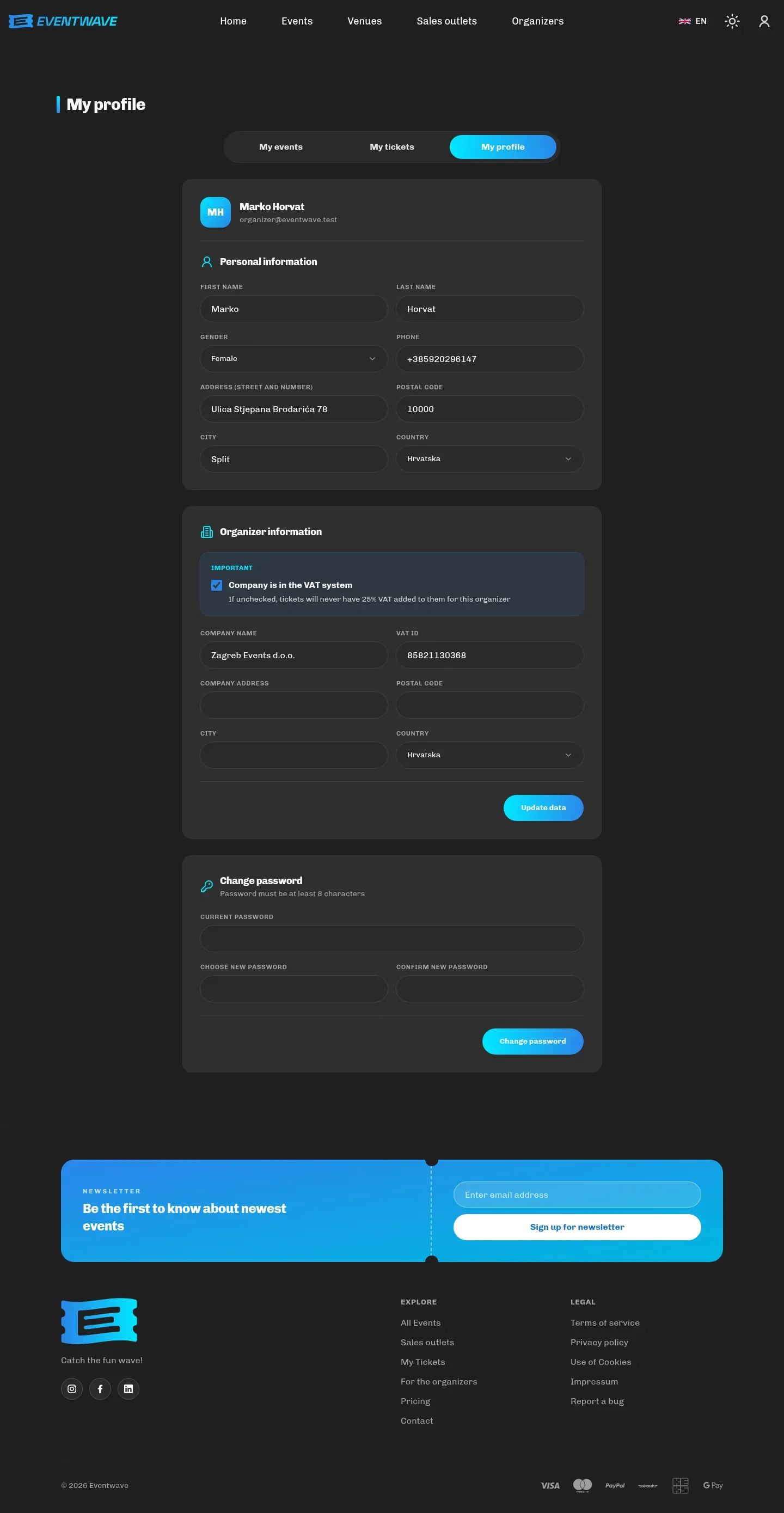
Section titled “VAT system status”In My profile → Organizer details, tick “Company is in the VAT system” if your legal entity is a VAT payer. The setting comes with an explanation: “If unchecked, tickets will never have 25% VAT added to them for this organizer.” This one setting determines the calculation on all your events:
| Organizer in the VAT system | Organizer not in the VAT system | |
|---|---|---|
| The ticket price you enter | Gross: includes VAT (25%, or the rate in force) | Without VAT; buyers see “(no VAT)” next to the line items |
| The buyer’s invoice | Amount excluding VAT, VAT and total per line item | Line items without VAT; a note that the organizer is not in the VAT system |
| Discounts (promo codes) | Reduce the VAT base | none |
The VAT rate and the status details are captured at the moment of purchase on every order, so changing the setting later does not change invoices already issued. Change your status before sales start; if it happens mid-sale, contact support.
Example: ticket €20.00, service fee €2.00:
| In the VAT system | Not in the VAT system | |
|---|---|---|
| The ticket line on the invoice | base €16.00 + VAT €4.00 (25%) | €20.00 without VAT |
| The fee line | €2.00, VAT €0.00 | €2.00, VAT €0.00 |
| The buyer pays in total | €22.00 | €22.00 |
| “Your Revenue” in the statistics | €20.00 (gross: of which €4.00 VAT you owe the Tax Administration) | €20.00 (no VAT liability) |
The buyer pays the same in both cases and your revenue in the statistics is the same figure. The only difference is whether you owe VAT out of it. That’s why it is impossible to tell from the statistics page whether the amount is with or without VAT: it depends solely on your status.
The buyer’s invoice
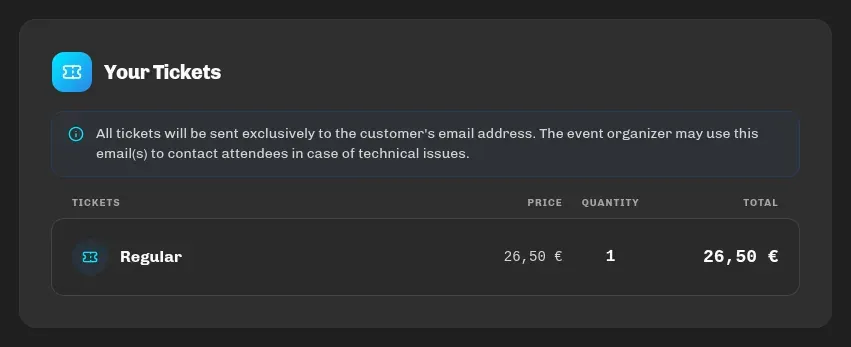
Section titled “The buyer’s invoice”For every paid order the buyer receives an invoice (PDF) by email along with the tickets, always available in My tickets → Download invoice too. The invoice contains:
- the issuer’s details, the invoice’s sequential number, date and payment method (card),
- line items: the ticket categories (quantity, price excluding VAT, VAT, amount), the service fee and, if selected, ticket insurance,
- the discount, the total,
- a note next to the ticket line items: “This item has been charged on behalf of the event organizer (seller):” with your details and, if you’re not in the VAT system, the note “The organizer is not in the VAT system” (per Art. 90(1) and (2) of the Croatian VAT Act),
- a note that the invoice is not a ticket.
The issuer in the invoice header is always Wavesphere d.o.o. (the legal entity behind Eventwave): the platform issues the invoice on your behalf, and the note above clearly marks you as the seller of the ticket. That is expected, including for R1 (business) invoices.
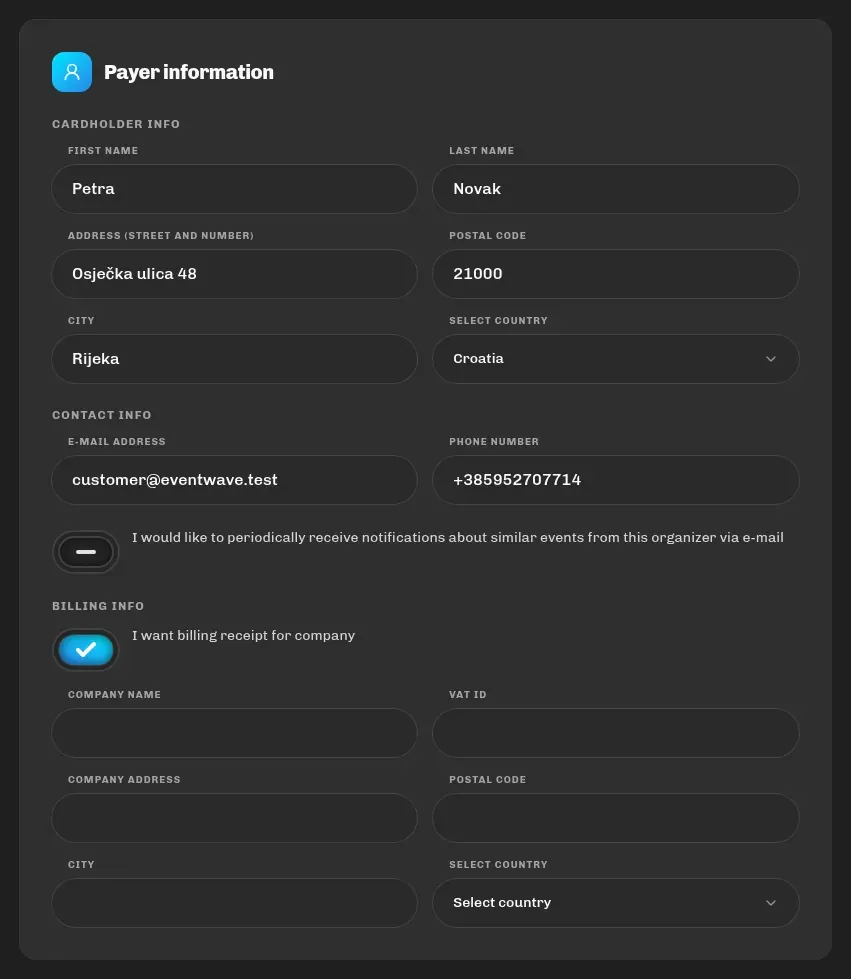
R1 (business) invoice: a buyer who needs an invoice made out to a company ticks “I want billing receipt for company” at checkout and enters the company’s name, OIB and address; those details appear on the invoice. Subsequent invoice corrections are handled by Eventwave support.
Fiscalization
Section titled “Fiscalization”Every paid order is fiscalized automatically in accordance with the Croatian Fiscalization Act: the invoice gets a ZKI (issuer protection code) and a JIR (unique invoice identifier) from the Tax Administration, and the PDF carries a QR code for verification at porezna.gov.hr. If the Tax Administration is temporarily unavailable, the invoice is still issued immediately and fiscalization is retried automatically in the background, so neither the buyer nor you need to do anything.
Free (€0) orders are not fiscalized.
Invoices are issued by the Eventwave system on the organizer’s behalf, with a clear mark on the invoice of who the seller of the ticket is. Legislation on fiscalizing platform ticket sales is evolving (Fiscalization 2.0, eInvoice). Eventwave tracks the changes and will notify you if the way invoices are issued for your events changes or you need to provide additional details (e.g. your own fiscal certificate).
Revenue payout
Section titled “Revenue payout”Eventwave charges buyers on your behalf and pays out your revenue under the terms agreed with our team (the payout schedule and method are defined at verification/contract time). The payout amount corresponds to “Your Revenue” in the statistics: tickets charged, less your promo discounts, excluding Eventwave fees. For payout questions: [email protected] or [email protected].
For your bookkeeping
Section titled “For your bookkeeping”- Revenue per event and per category: the statistics page.
- Copies of buyer invoices: available to buyers in My tickets; request a per-event summary report from support.
- The service fee is Eventwave’s (Wavesphere d.o.o.) revenue, not yours, so it goes into neither your revenue nor your invoices.