
Payment
How payment works
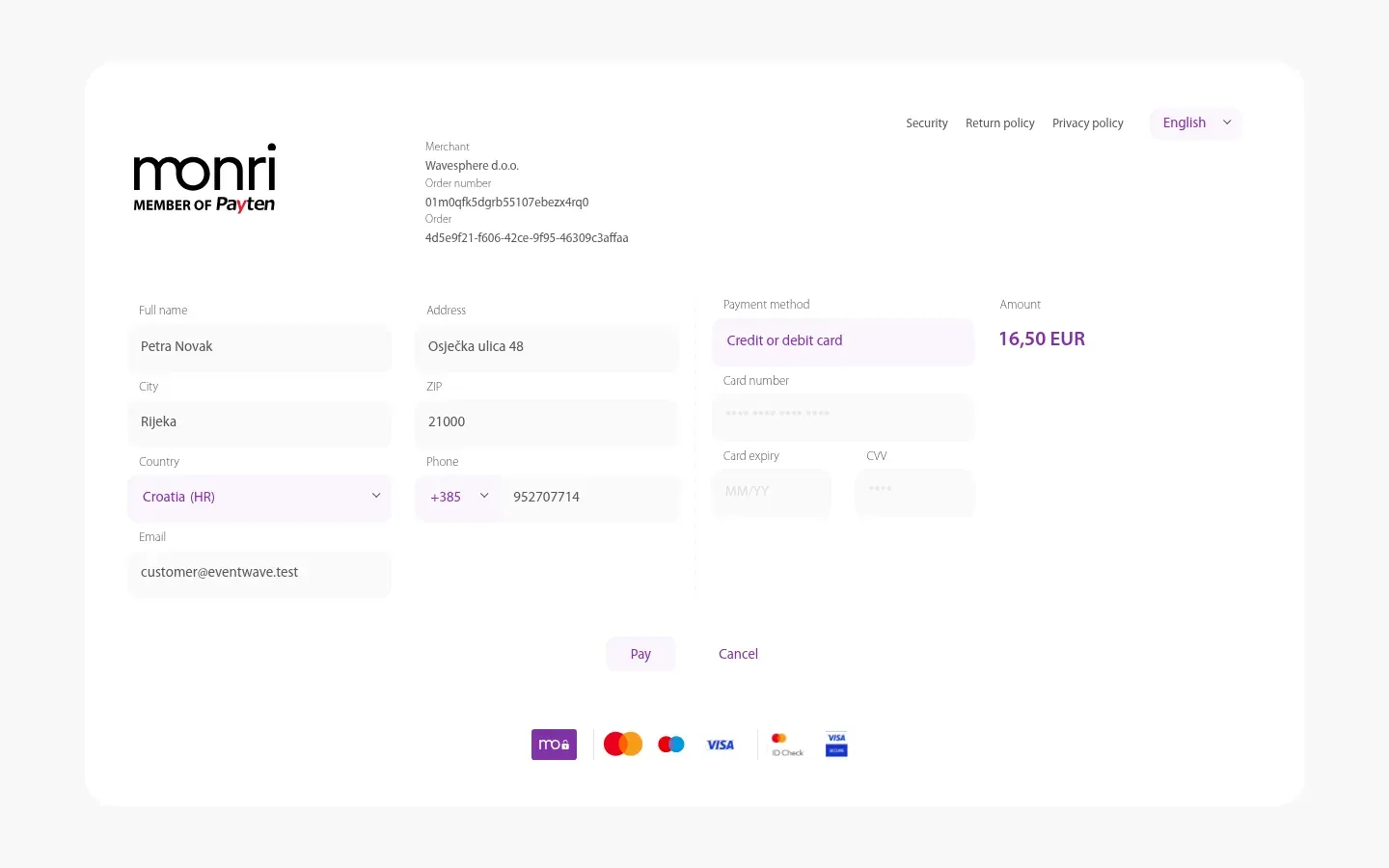
Section titled “How payment works”Payment is by card, through the secure WSPay (Monri) form, a Croatian card payment provider. Eventwave never sees or stores your card details; after you click Pay we redirect you to the WSPay page, where you enter your card details and, if required, confirm the payment with a 3-D Secure check in your bank’s app.
Credit and debit cards are accepted (Visa, Mastercard, Maestro, American Express). Amounts are in euros.
Orders with a total of €0 (e.g. a promo code for free entry) don’t go to WSPay: they are confirmed immediately and the tickets head straight to your email. Since there is no charge, such orders have no fiscalized receipt (JIR/ZKI) either.
What’s included in the amount
Section titled “What’s included in the amount”| Item | Explanation |
|---|---|
| Tickets | Price × quantity per category, as set by the organizer. |
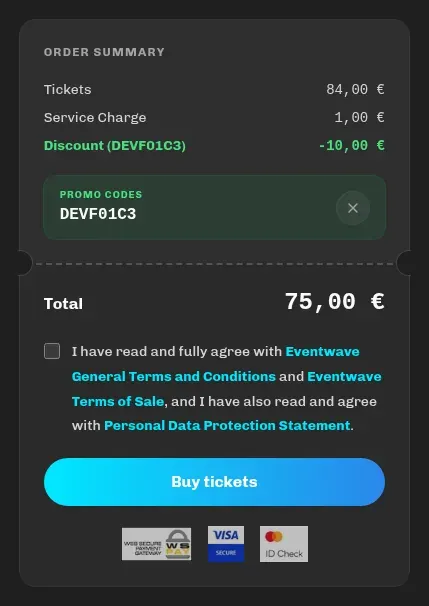
| Service Charge | The Eventwave fee that covers payment processing, ticket issuing, fiscalization and support. Depending on the event it’s charged once per order, per ticket or as a percentage of the ticket amount; it’s always visible in the summary before you pay and cannot be removed. |
| Ticket insurance | Optional (see below). |
| Discount | If you applied a promo code. |
| Total | The amount that will be charged to your card. |
For some events the organizer covers the fee themselves; then you pay only the ticket price.
Whether the price includes VAT depends on the organizer: if they are in the VAT system, ticket prices include VAT; if not, “(No VAT)” is shown next to the items. The breakdown (subtotal, tax, total) is on the order page and on the receipt. The buyer always pays exactly the Total amount shown before payment.
Ticket insurance
Section titled “Ticket insurance”If insurance is offered for the event, at checkout you choose between I want to insure tickets (recommended) and I don’t want to insure tickets; picking one of the options is required to continue. Events without insurance simply don’t show this choice.
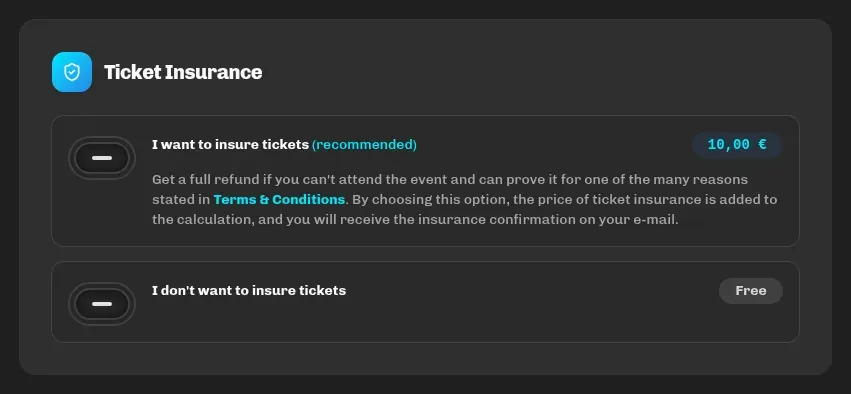
Insurance entitles you to a refund if you can’t attend the event for one of the reasons listed in the insurance terms (and can prove it). The price of the insurance (depending on the event a fixed amount per order, an amount per ticket or a percentage) is added to the total, and you receive the insurance confirmation by email.
If you’re not sure what it covers, read the terms linked to the option at checkout or contact [email protected] before buying.
Unfinished payment
Section titled “Unfinished payment”When you submit your order, a 15-minute payment window starts for paying on WSPay (separate from the 20-minute reservation at checkout). If you close WSPay or come back without paying:
- open the order page link in your browser and you’ll see the Awaiting Payment status, the remaining time and a Pay Now button, which takes you back to WSPay;
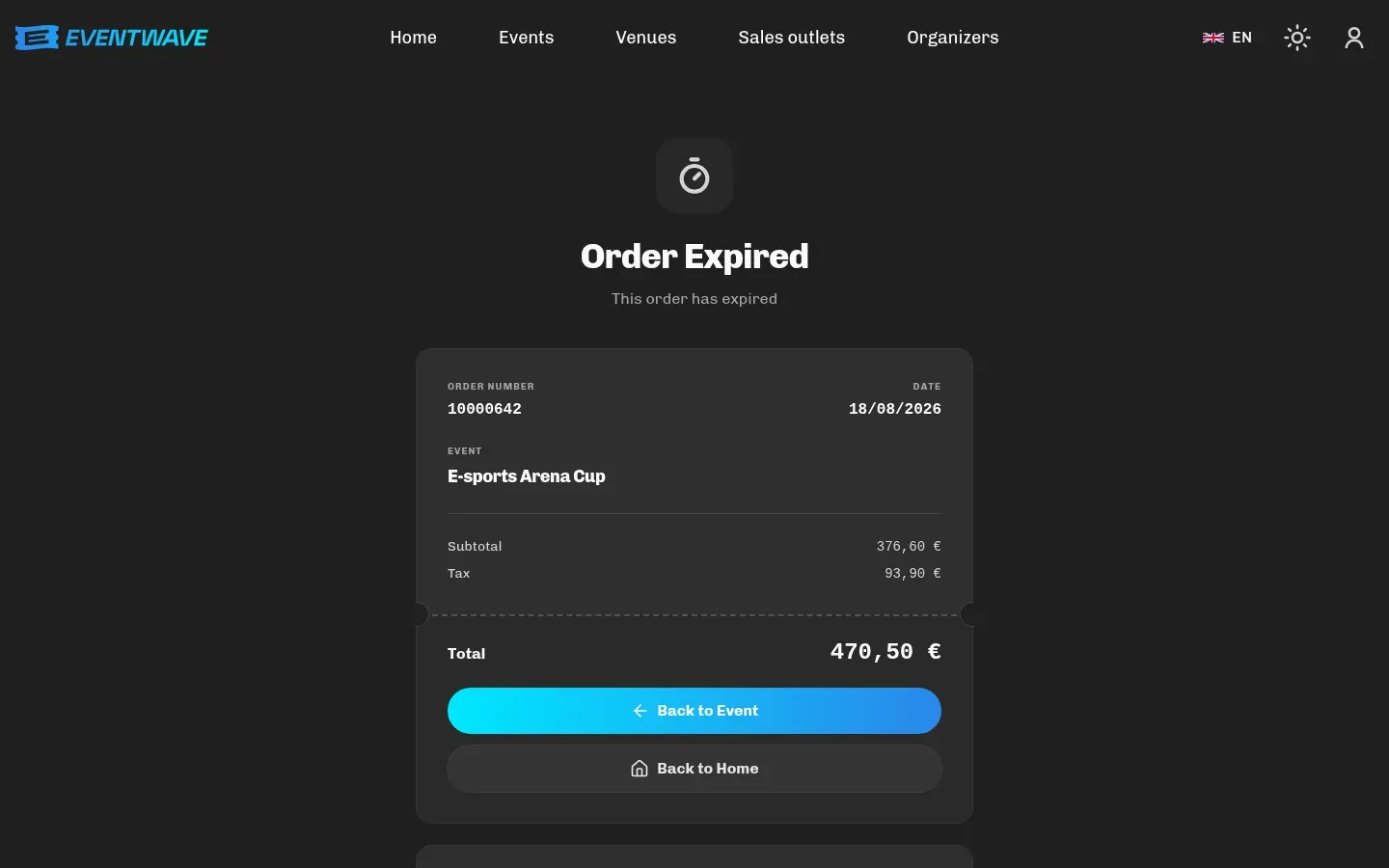
- if the window runs out while you’re viewing the page, it shows Reservation expired (“The payment window for this order has passed and the tickets are no longer reserved.”), and the order then moves to the Order Expired status. Simply start the purchase over.
If you start a new purchase for the same event, the earlier unpaid order automatically becomes Order Canceled and its tickets are released. (If you nonetheless complete the payment on the old WSPay form, the payment is recognized and that order becomes paid, and every paid order is visible in My tickets.)
Payment failed
Section titled “Payment failed”| You see | What it means | What to do |
|---|---|---|
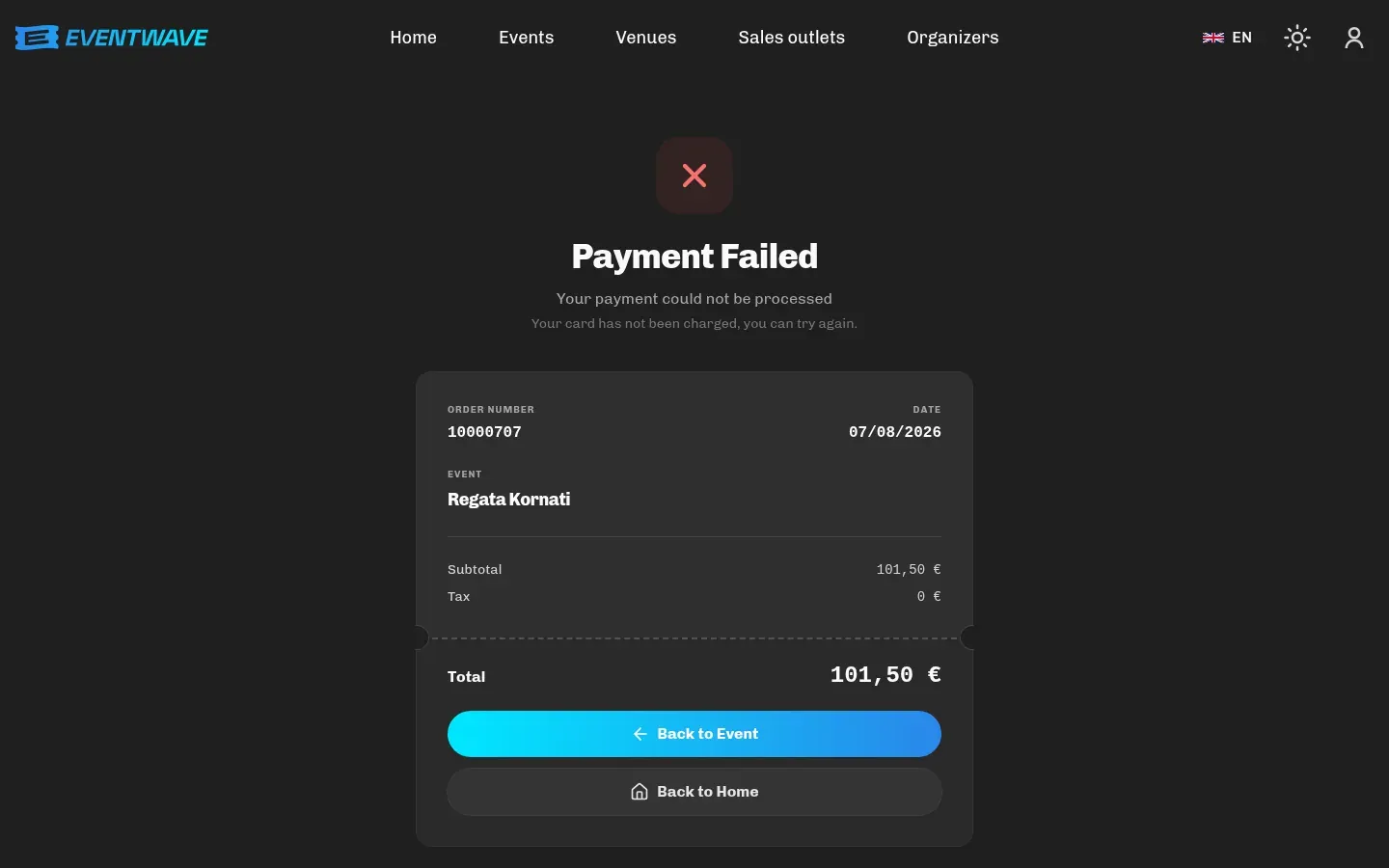
| Payment Failed | “Your payment could not be processed”: your bank or WSPay declined the transaction (limit, wrong details, 3-D Secure not confirmed). Your card was not charged. | Try again; check your online purchase limit or try another card. |
| Order Canceled | You backed out on WSPay yourself (or started a new purchase for the same event). Your card was not charged. | Start over. |
| Reservation expired / Order Expired | 15 minutes passed without payment. | A new purchase. |
| Money was taken, but there are no tickets | Rare: the bank reserved the amount, but the confirmation didn’t reach us. The system checks with WSPay every few minutes and confirms the order itself; blocked amounts without a confirmation are released by the bank within a few days. | Wait 15 minutes and check My tickets and your email. If there’s still nothing, contact [email protected] with the order number (or the time of purchase and the amount). |
Security
Section titled “Security”Payment takes place on WSPay pages with SSL/TLS encryption and PCI DSS certification, with Visa Secure / Mastercard Identity Check (3-D Secure). Eventwave receives only the success confirmation, never your card number.