
Statistics and reports
The statistics page
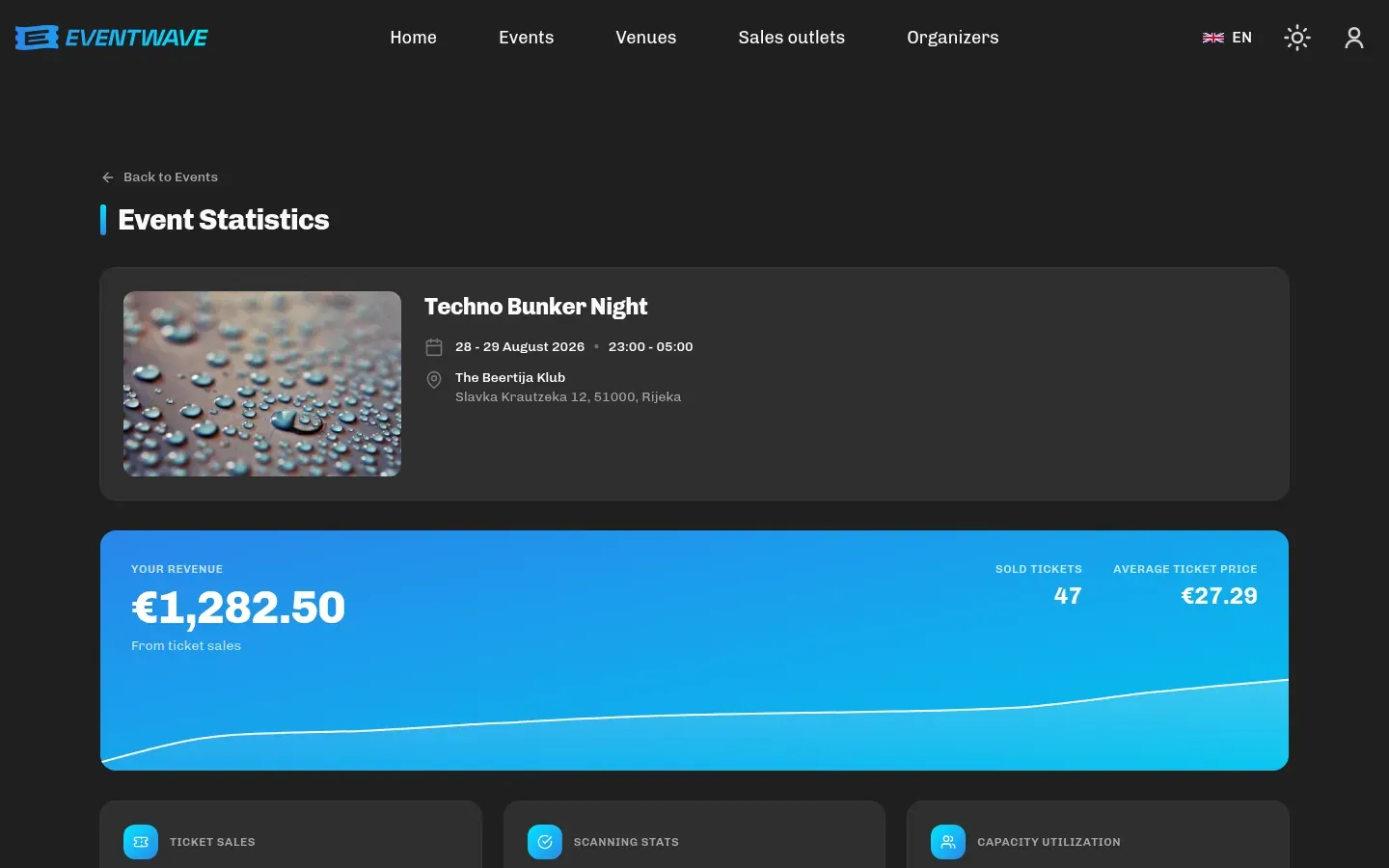
Section titled “The statistics page”My events → Statistics (available only to the event’s owner) opens a real-time overview. The sections, in the order they appear:
| Section | Contents |
|---|---|
| Your Revenue | The organizer’s total revenue (excluding Eventwave fees), revenue in the last 7 days and a cumulative revenue curve. |
| Tickets Sold | Sold / total and the percentage. |
| Scanning Stats | Scanned / sold and the percentage: live attendance during the event. |
| Capacity Utilization | Scanned (admitted) against the total capacity: how full the event currently is. Not the same as sales: before the event it’s 0%, and it grows as guests enter. |
| Currently Inside | Only for events with re-entry: the number of attendees who have entered and not (yet) left. |
| Average Ticket Price | Your revenue ÷ number of tickets sold, i.e. after promo discounts and without fees, so it can be lower than the categories’ list prices. |
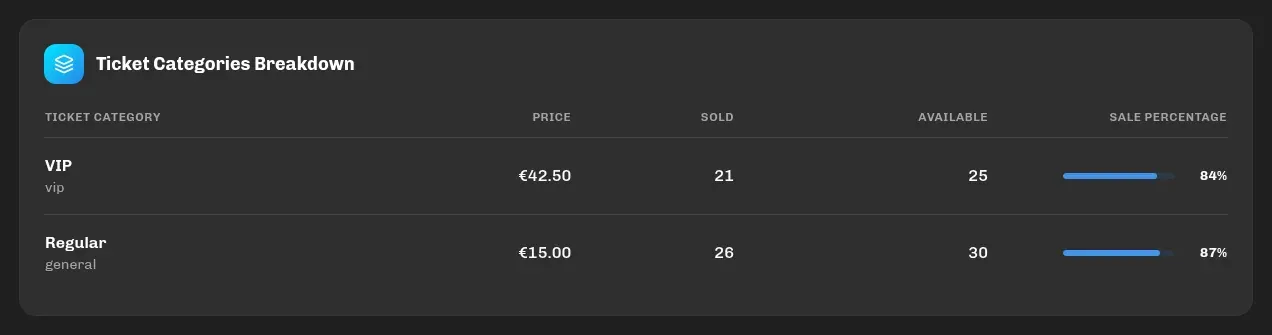
| Ticket Categories Breakdown | A table: category, price, sold, available, sale percentage. |
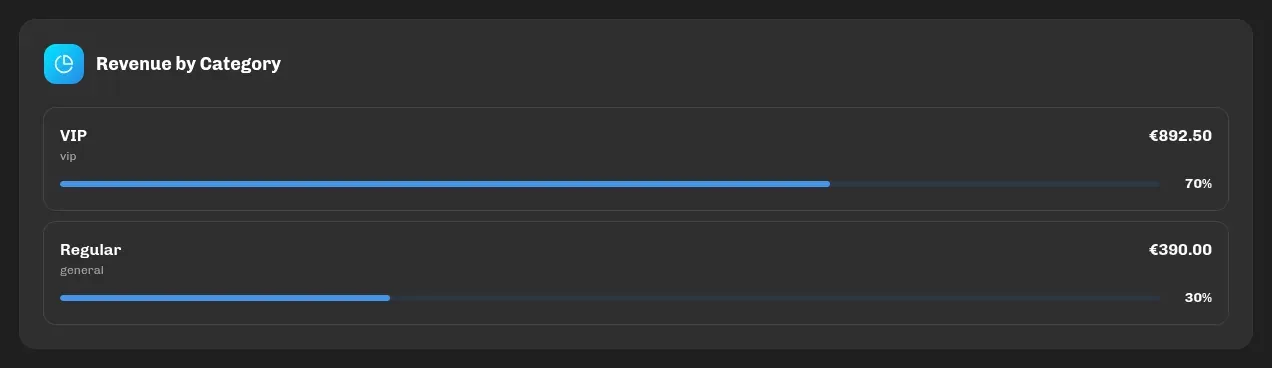
| Revenue by Category | How much each category brought in. With promo discounts the sums can differ from the total revenue by a cent or so (the discount is distributed across line items). |
| Promo Code Statistics | Total / active / uses, usage per code. The section is shown only if the event has at least one promo code. |
| Revenue Timeline | Cumulative revenue over time. |
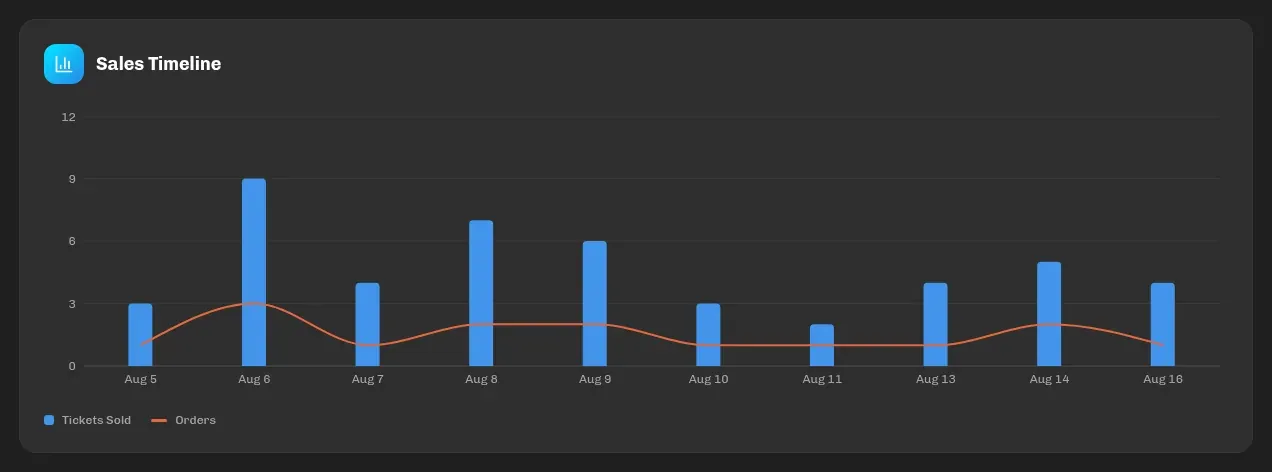
| Sales Timeline | Tickets sold and number of orders per day (last 30 days). |
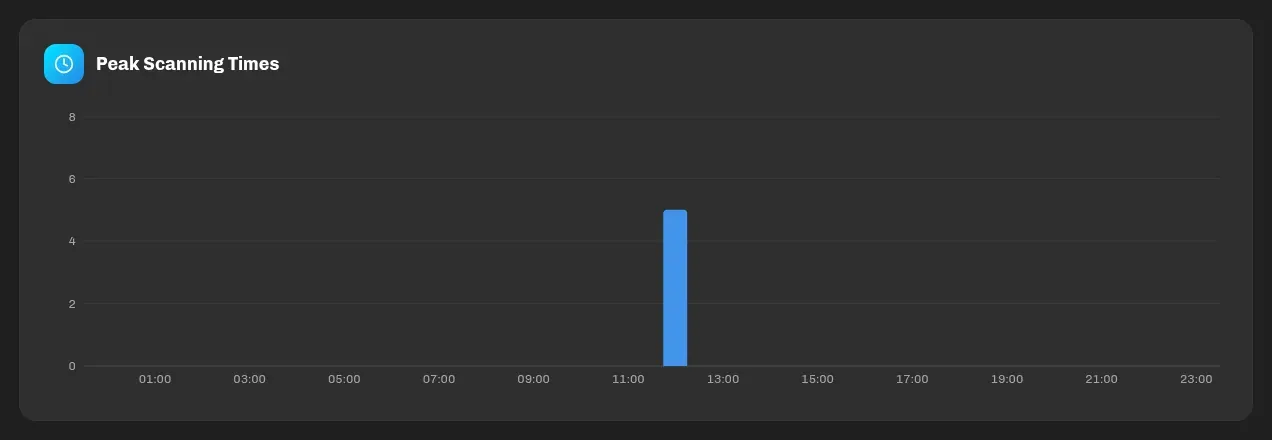
| Peak Scanning Times | Entries per hour: when the door gets busy. |
| Scanner Performance | Number of scans per staff member and each one’s share of the total. |
| Scanners | The list of assigned scanners (name and email) with a count of the active ones. |

The event card in My events additionally shows, per category: sold, total, stock, price, plus the number of scanners, scanned tickets and promo codes.
How “Your revenue” is calculated
Section titled “How “Your revenue” is calculated”- Only paid orders are counted.
- Your revenue = total charged − the Eventwave service fee − ticket insurance (an Eventwave product).
- Discounts from your promo codes reduce your revenue (the fee stays whole as long as the order amount covers it).
- The amounts are gross (VAT included, if you’re in the VAT system), and the VAT accounting is done by your bookkeeper from the invoices; see VAT, invoices and fiscalization.
- Prices are captured at the moment of purchase: changing a category’s price later does not change past revenue.
Example. Ticket €25.00, service fee €2.00:
| Buyer pays | Your revenue | |
|---|---|---|
| Without a discount | €27.00 | 27.00 − 2.00 = €25.00 |
| With a −20% promo code | €21.60 (discount €5.40 = 20% of €27.00) | 21.60 − 2.00 = €19.60 |
The discount thus comes entirely out of your share, and is calculated from the order total. See Promo codes. The figure is the same whether or not you are in the VAT system. If you are, it includes the VAT you owe the Tax Administration.
Email reports
Section titled “Email reports”Depends on the Sales notifications setting (step 3). The default is off: until you pick a frequency, no reports are sent.
| Setting | What arrives |
|---|---|
| Every Ticket | An email after every paid order: order number, event, number of tickets, the buyer’s name and email and the amount charged. Arrives in your account’s language. |
| Daily | Every day at 7:00, a summary of the previous day. |
| Weekly | Mondays at 7:00, a summary of the previous week. |
The daily/weekly report contains the number of tickets sold, the number of orders and the total amount charged in the period (including fees), so it can differ from “Your Revenue” on the statistics page, which excludes Eventwave fees. Daily and weekly summaries are currently sent in English; the single-order email arrives in Croatian if your account is in Croatian.
Reports are sent to your account’s email, and only for published events that are still running or upcoming.
Buyer list and export
Section titled “Buyer list and export”A list of individual orders/buyers and CSV/Excel export are currently not available in the interface. If you need a list for an event (e.g. for insurance or accreditation), contact [email protected]. The Eventwave team can prepare an export.
Data that is available to you: the email addresses of buyers who ticked at checkout that they want your notifications (the Email Notifications option in the event settings) and the details on personalized tickets (visible to scanners).